This pick is based on live Amazon listing data and a deep read of verified-purchase reviews — not a hands-on unit we personally tested.
Why We Picked the cocopar 15.6″ Portable Monitor
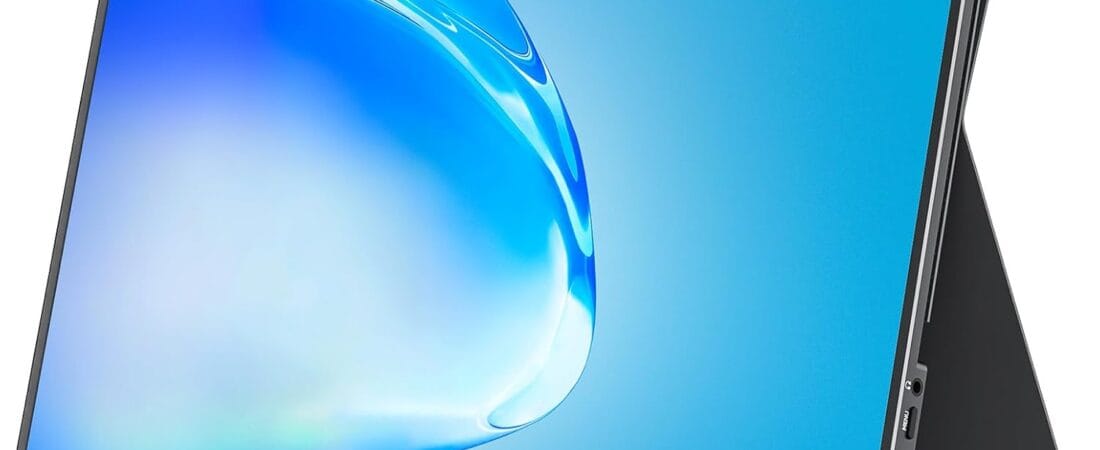
Portable monitors are one of those categories where a single well-executed product can dominate the reviews, and cocopar’s 15.6″ 1080P model is a good example: 6,325 ratings at 4.8 stars, marked “#1 Top Rated” in Amazon’s own portable monitor listings, at $119.99. It’s a single-cable USB-C second screen — one USB-C cable handles both power and video for compatible laptops — with a 1080P IPS panel, 85% sRGB color coverage, built-in speakers, a cover that doubles as a stand, and dual VESA mounting holes for a permanent desk setup if you’d rather not use the kickstand.
What Owners Actually Say
The most common praise is how seamless the plug-and-play experience is on modern laptops. One MacBook Pro owner described it as “a total plug-and-play experience… Plug it in to a USB-C port and it fires right up,” with macOS recognizing it automatically in Display Preferences, no drivers or extra setup needed. Buyers consistently mention using it to extend a laptop screen for spreadsheets, dual-monitor coding, or simply having more real estate while traveling or working from a coffee shop.
One Thing to Check
Two real caveats surfaced in critical reviews. First, the USB-C and HDMI ports are fixed on the left edge of the monitor — one reviewer who prefers positioning a second screen to their left (so the ports face away from their laptop and mouse) found the fixed port placement awkward for their desk layout; worth picturing your own setup before buying. Second, while most owners report solid reliability, at least one reviewer described a unit that developed problems after a few months of use — cocopar did replace it under warranty in that case, but it’s a reminder this is a budget-tier private-label panel, not a premium branded monitor, so don’t expect flagship-level long-term durability guarantees.
Pros and Cons
- Pros: Genuine single-cable USB-C plug-and-play on modern laptops and Macs; sharp 1080P IPS panel with 85% sRGB; built-in speakers and kickstand cover included; VESA-mountable for a permanent setup; very strong review base (6,325 ratings, 4.8 stars) for a budget-tier product.
- Cons: Ports are fixed on the left side only, which won’t suit every desk layout; as a private-label brand, warranty support relies on the seller rather than a major electronics brand’s service network.
FAQ
Does it work with a MacBook without extra adapters? Yes, as long as your Mac’s USB-C port supports Thunderbolt 3/4 or USB 3.1 DisplayPort Alt Mode — a single USB-C cable handles both power and video for most recent MacBooks.
Do I need to install drivers? No — it’s plug-and-play on Windows, macOS, and it also works with the PS4/PS5 and Xbox via HDMI.
Can it be wall- or arm-mounted instead of using the kickstand? Yes, it has two VESA mounting holes for a compatible monitor arm or stand.
For Specific Needs
“Will it work as a true single-cable second screen for my MacBook?” Based on real owner feedback, yes — one MacBook Pro M5 owner confirmed it’s “a total plug-and-play experience” over a single USB-C cable, with macOS display settings recognizing it immediately, as long as your Mac’s port supports Thunderbolt 3/4 or USB-C DisplayPort Alt Mode.
“Does the port placement matter for my desk setup?” It can — the USB-C and HDMI ports are fixed on the left edge, which one reviewer found inconvenient when trying to position the monitor to their left with a laptop and mouse on the right. If you have a specific desk layout in mind, check that the left-side port placement will actually work before ordering.
“Can I mount it on an arm instead of using the folding stand?” Yes — it includes two VESA mounting holes, so it’s compatible with standard monitor arms and stands if you’d rather not use the included kickstand cover.
Methodology
This recommendation is based on live Amazon listing data (price, rating, and review count pulled directly from the product page) and a review-mining pass across both critical and five-star verified-purchase reviews. We did not physically test this exact unit; claims about connectivity, port placement, and durability are drawn directly from the manufacturer’s listed specs and recurring themes in real buyer reviews, not fabricated or assumed.
Check the current price on Amazon
As an Amazon Associate, we earn from qualifying purchases.
How We Built This Guide
Our process: this is a research-based pick, not a hands-on lab test. We aggregate verified-owner reviews, professional test data where available, and real discussion patterns from communities like Reddit, then flag every estimate as such in the guide above. We do not accept sponsored placements.
Last checked: August 6, 2026