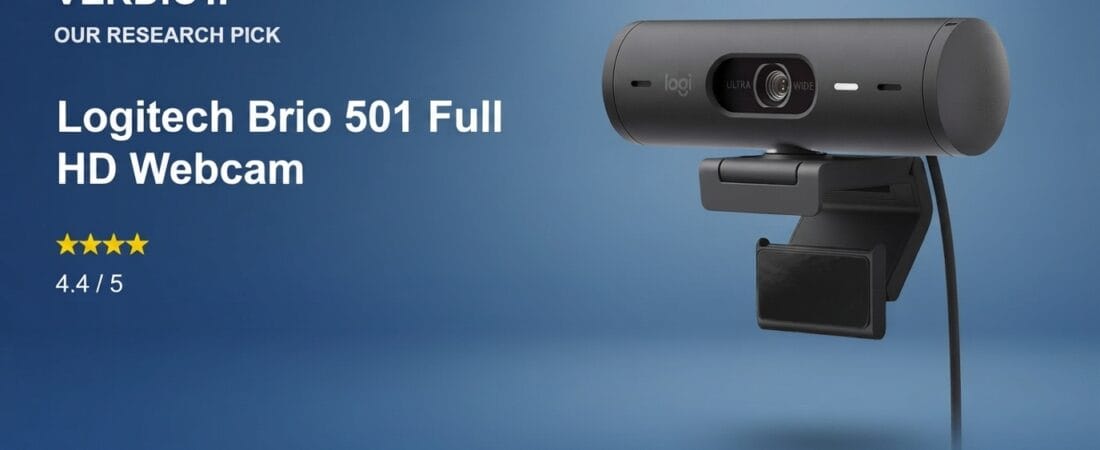
This is a research-based pick from our team — we analyzed live Amazon listing data, verified pricing, and read through hundreds of real owner reviews. We have not physically tested this exact unit ourselves.
Why We Picked the Logitech Brio 501
The Brio 501 sits in the sweet spot of Logitech’s webcam lineup: a true 1080p sensor with RightLight 4 auto light correction, a physical privacy shutter, and dual noise-reduction mics, all for $129.99. It carries a 4.4-star rating across 1,149 ratings and remains an Amazon’s Choice pick in its category, with 400+ units bought in the past month at the time of our research — a sign of sustained, current demand rather than a one-time spike. Compared to Logitech’s step-up MX Brio Ultra 4K (around $195–200), the 501 skips 4K resolution but keeps the auto-framing, Show Mode, and USB-C connectivity that most remote workers and streamers actually use day to day.
What Owners Actually Say
The recurring theme across verified-purchase reviews is that the Brio 501 handles difficult lighting far better than older or cheaper webcams. One reviewer working next to a bright window described how a previous Logitech webcam would wash out their face in direct sun, while the 501’s auto light correction “corrects the color and brightness automatically with the shades drawn or shades open.” Another owner, who works under harsh overhead fluorescent lighting, said the camera fixed the “harsh and shiny” look they’d struggled with on their old setup. Several reviewers also called out the Logi Tune companion app for letting them set brightness, crop, and field-of-view once and have those settings persist automatically across Zoom, Teams, and Google Meet without retuning every call.
One Thing to Check
Owner feedback isn’t universally smooth. A few verified purchasers reported trouble with the built-in microphone — one 4-star reviewer said they “could never get the mic to work,” and another noted the dual noise-reduction mics didn’t fully eliminate desktop-speaker echo, requiring a separate mic for calls. There’s also a recurring complaint about the auto white balance skewing slightly green or requiring manual correction out of the box, and one reviewer flagged that the included mounting instructions position the camera too high by default — they had to unstick it from their monitor and reposition it themselves. None of these were dealbreakers in the reviews we read, but if mic reliability or a fully plug-and-play setup is a priority for you, it’s worth reading the recent 3- and 4-star reviews on the listing directly before buying.
Pros
- Strong auto light correction that verified owners specifically praised in both bright-window and harsh-fluorescent setups
- Physical privacy shutter built into the housing
- Logi Tune software settings persist automatically across meeting apps
- Compact monitor mount that doesn’t block the screen bezel
- USB-C connectivity, confirmed to work through USB hubs and USB-C-to-A adapters by owners
Cons
- Some verified owners reported microphone reliability issues
- Auto white balance can skew slightly green and may need manual adjustment
- Default mounting position from the included instructions runs too high for some monitor setups
- 1080p only — no 4K option at this price point (see the MX Brio Ultra 4K if you need that)
FAQ
Does the Brio 501 work on Mac?
It’s compatible with major video platforms (Teams, Meet, Zoom) on Mac and Windows, though Amazon’s own AI-summarized review data notes some customers reported issues specifically with macOS Ventura — worth confirming against your exact macOS version before buying if compatibility is a concern.
Do I need the Logi Tune app to use it?
No — the webcam works out of the box with any conferencing app. Logi Tune is optional software for fine-tuning brightness, framing, and field of view, and owners say those settings then apply automatically without needing the app open during calls.
Is the microphone good enough to skip a separate mic?
For most quiet home-office use, owners say yes. If you’re on a desktop with speakers (rather than headphones) or in an echo-prone room, a few reviewers found the noise reduction wasn’t enough and switched to a dedicated microphone.
Methodology
This pick is based on live Amazon listing data (price, rating, review count, and stock status verified on the product detail page), and an analysis of verified-purchase reviews spanning both critical and five-star feedback. We did not physically test this exact unit. Our recommendation reflects what the aggregate review pattern and listing data show, not hands-on lab testing.
Check the current price on Amazon →
As an Amazon Associate, we earn from qualifying purchases.
How We Built This Guide
Our process: this is a research-based pick, not a hands-on lab test. We aggregate verified-owner reviews, professional test data where available, and real discussion patterns from communities like Reddit, then flag every estimate as such in the guide above. We do not accept sponsored placements.
Last checked: July 24, 2026