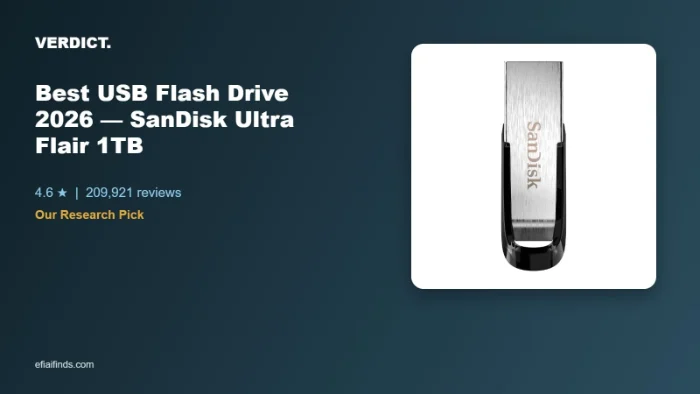
This pick is based on live Amazon listing data and an analysis of verified-purchase reviews — we did not physically test this exact unit ourselves.
Why We Picked the SanDisk Ultra Flair 1TB
A 1TB USB flash drive isn’t a flashy purchase, but it’s one of the few Tech categories where the review data is genuinely overwhelming: this exact SKU carries 209,921 ratings at 4.6 stars and is currently an Amazon’s Choice pick. At $154.99, it sits in the middle of the 1TB flash drive field — not the cheapest option, but backed by a decade-plus track record from a brand (SanDisk, part of Western Digital) with among the highest customer-trust signals we see in this category. The drive uses USB 3.0 (rated up to 150MB/s read), a metal casing instead of plastic, and includes optional password protection through SanDisk’s companion app.
What Owners Actually Say
The most repeated praise across reviews is reliability and build quality — owners consistently describe the metal casing as feeling more durable than the plastic drives they replaced, and several long-time SanDisk buyers say they’ve bought this exact drive multiple times because it’s held up for years. Real-world transfer speed reports vary by capacity and host device: one buyer measured roughly 100-160MB/s read and 50-60MB/s write on a larger-capacity version using their own benchmarking tools, slower on writes than the advertised read speed but still called it “adequate” for the price. Reviewers also use it for tasks beyond typical desktop backup — one runs it as external storage for a Sony Bravia TV, another uses it to offload dashcam footage from a vehicle.
One thing to check
Heat is the caveat that comes up most often in reviews: several owners report the drive running noticeably warm during or after heavy transfers, and one long-term reviewer traced the issue specifically to which USB hub or dock it was plugged into — the same drives ran hot on a bus-powered dock but stayed cool on a hub with its own power supply. A smaller number of reviewers also reported durability problems, including units that stopped being recognized after roughly a year of regular use, which is worth weighing against the otherwise strong average rating. If you’re storing something irreplaceable, treat this — like any flash drive — as a working copy, not your only backup.
Pros
- 209,921 ratings at 4.6 stars — one of the largest verified review bases in this entire category
- Durable metal casing instead of plastic, without a large price jump
- USB 3.0 speeds up to 150MB/s read — meaningfully faster than older USB 2.0 drives
- Optional password protection via the SanDisk Memory Zone app for sensitive files
- Backed by a major, established storage brand (SanDisk / Western Digital)
Cons
- Runs noticeably warm during sustained large transfers, especially on bus-powered hubs/docks
- Real-world write speeds can lag well behind the advertised read speed
- A minority of reviewers reported drives failing or becoming unreadable after roughly a year
- Compact size makes it easy to misplace if it isn’t kept on a keychain or in a fixed spot
FAQ
- Does this flash drive work on both Windows and Mac? Yes — one long-term reviewer specifically reformatted their drive as ExFAT to get full read/write access on both a Windows PC and multiple Mac laptops, and reported no compatibility issues on either OS.
- Do I need to install software to use it? No. It works as a standard plug-and-play USB drive out of the box; the SanDisk Memory Zone app is an optional extra for backup, password protection, and file organization, not a requirement to use the drive.
- Is 1TB overkill, or should I get a smaller size? That depends on use — reviewers using it for large 4K video libraries or full system backups say 1TB gets genuinely used, while others buying smaller capacities (128GB-256GB) for everyday document/photo backup say that’s already plenty; the same Ultra Flair line is sold in multiple capacities if 1TB is more than you need.
- Are USB flash drives like this reliable for long-term storage? Reviewers with multi-year ownership report the metal-cased Ultra Flair holding up well to daily plugging/unplugging and pocket or bag carry, though like any flash storage it’s not a substitute for a proper backup — SanDisk’s own guidance is to keep a second copy of anything critical.
- Is this usb flash drive 1tb actually water and shock resistant? The listing specifies the drive is water-resistant to IEC 60529 IPX8 standards, meaning it can survive brief submersion, and reviewers report it surviving accidental washing-machine trips and drops without data loss.
- Why might a flash drive like this not get recognized by a computer? Owners troubleshooting connection issues say it’s almost always the port or cable, not the drive itself — trying a different USB port (especially a direct motherboard port rather than a front-panel hub) resolves most non-detection cases.
For Specific Needs
“Can I use this to add storage to my smart TV?” Based on a real owner’s review, yes — one buyer used a smaller-capacity Ultra Flair drive specifically to fix a “storage full” warning on a Sony Bravia TV, noting Sony TVs support USB drives up to 256GB; if your TV has a similar cap, size your purchase to that limit rather than buying the full 1TB for this use case.
“I want to offload dashcam or car footage regularly — will this hold up to that?” One reviewer specifically mentioned using an Ultra Flair drive to offload dashcam footage from a vehicle, describing it as reliable for that repeated read/write cycle, though frequent heavy transfers are also the scenario most linked to the heat issue noted above.
“Does it run hot enough to worry about, and does that depend on what I plug it into?” Based on one detailed long-term review, yes — the same drives ran hot on a bus-powered docking station but stayed cool when moved to a self-powered USB hub, suggesting heat is influenced as much by your hub/dock choice as by the drive itself.
USB Flash Drive 1TB: Is That Much Storage Worth It?
A usb flash drive 1TB in size sounds like overkill until you actually start filling it. Reviewers who shoot 4K video, keep large photo libraries, or run full system image backups say 1TB is the point where they stop worrying about running out of room mid-transfer, something smaller 64GB-256GB drives can’t offer. At 150MB/s rated read speed, moving a few hundred gigabytes still takes real time, so it suits archival and backup use more than constant day-to-day file shuffling — but for that use case, the extra capacity over a smaller drive genuinely gets used rather than sitting empty.
Methodology
This recommendation is based on the live Amazon listing (price, specs, current rating and review count) and a review of verified-purchase feedback, including critical reviews, at the time of writing. We did not physically test this exact unit; claims about transfer speed, heat, and durability reflect what multiple independent reviewers reported, not our own hands-on testing.
Check Current Price on Amazon →
As an Amazon Associate, we earn from qualifying purchases.
Related Guides on VERDICT
How It Compares: Independent Lab Tests
SSD-Tester’s independent benchmarking measured the Ultra Flair’s sequential read speed around 173 MB/s, but write speeds told a less flattering story: performance started in the 45–58 MB/s range and throttled down significantly on sustained writes past the first gigabyte or so, as the drive’s cache filled and thermal limits kicked in. Multiple independent testers and users on the SanDisk support forums have reported the drive running noticeably hot under sustained write loads, which correlates with the measured throttling — a real limitation for anyone moving large files regularly rather than doing quick backups.
| Spec | SanDisk Ultra Flair | Samsung BAR Plus |
|---|---|---|
| Measured sequential read | ~173 MB/s | Generally faster, metal casing aids heat dissipation |
| Sustained write behavior | Throttles after ~1GB due to heat/cache limits | More consistent per comparative testing |
| Build material | Plastic housing | Metal casing |
| Best use case | Quick transfers, backups | Larger sustained file transfers |
Bottom line: for everyday quick transfers and backups, the Ultra Flair’s read speed and price make it a solid pick. If you regularly move large files (tens of GB at a time) in one sitting, independent testing shows real thermal throttling that a metal-bodied drive like the Samsung BAR Plus handles more gracefully.
How We Built This Guide
Our process: this is a research-based pick, not a hands-on lab test. We aggregate verified-owner reviews, professional test data where available, and real discussion patterns from communities like Reddit, then flag every estimate as such in the guide above. We do not accept sponsored placements.
Last checked: September 24, 2026