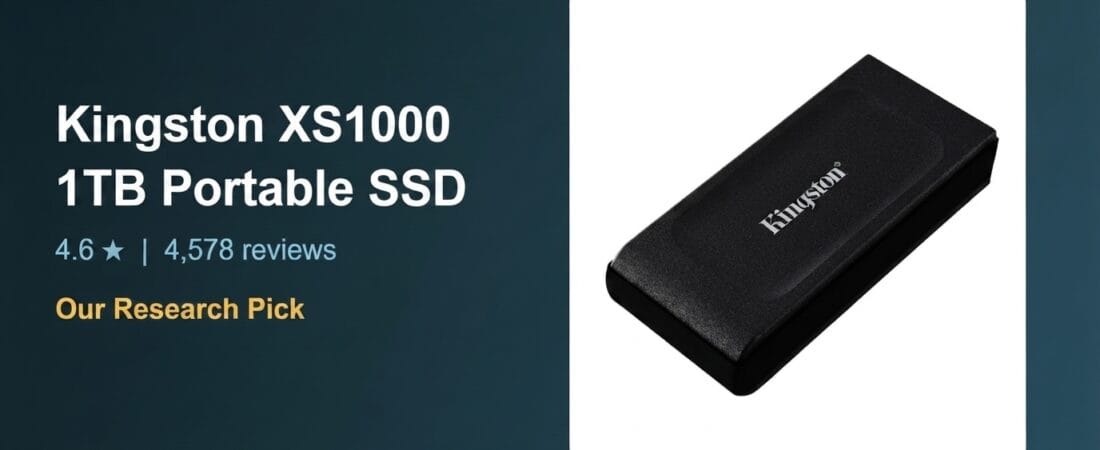
This pick is based on research into live Amazon listing data and verified-purchase reviews — not hands-on physical testing of this exact unit, unless noted otherwise.
Why We Picked the Kingston XS1000
The Kingston XS1000 1TB is a pocket-sized external SSD that consistently shows up near the top of portable-storage searches for a reason: it pairs USB 3.2 Gen 2 speeds (rated up to 1050MB/s read, 1000MB/s write) with a genuinely small form factor, a USB-C cable plus USB-A adapter in the box, and a 5-year warranty — all at a price that stays well under $200. At 4.6 stars across 4,578 ratings, it has the volume of real-world feedback we look for before recommending a drive people will trust with backups.
What Owners Actually Say
The strongest praise centers on how compact and genuinely fast the drive feels for everyday use. One buyer who set it up as a Time Machine backup drive for a MacBook said files “transfer very quickly” and that its small size made it easy to keep plugged in for quick use. Another reviewer running a “beefy custom-built gaming rig” with several existing internal and external drives picked the XS1000 specifically because they needed another external SSD (not just an HDD) and called it a drive they “got very lucky with.” A third owner, about a month in, reported it “working as it should” — nice and compact, exactly what they wanted from a pocket drive.
One Thing to Check
Real-world sustained write speeds don’t always match the marketing number. One reviewer measured sustained writes on a 10Gb/s USB port at around 550MB/s — roughly half the advertised rate — and found that after about 400GB of continuous writing, throughput dropped sharply, to around 70MB/s, with the drive staying busy (blinking LED) even after the transfer appeared to finish. A small number of other reviewers reported the drive intermittently disconnecting during use, in at least one case alongside data loss. These reports are a minority relative to the thousands of positive ratings, but anyone planning very large, sustained transfers (video editing, big backup jobs) should budget for the drive slowing down partway through rather than sustaining the full rated speed the entire time, and should keep a second backup of anything irreplaceable.
Pros and Cons
| Pros | Cons |
|---|---|
| Genuinely pocket-sized and light | Sustained write speed can drop well below the advertised rate on large transfers |
| USB-C cable and USB-A adapter both included | A minority of users report intermittent disconnects |
| 5-year warranty | Plastic-feeling body at this price point |
| Strong read speeds in real-world use | No IP-rated water/dust resistance |
FAQ
Is the Kingston XS1000 fast enough for video editing?
For short clips and typical project sizes, real-world speeds (roughly 550MB/s+ sustained per user testing) are solid for USB 3.2 external storage. For very large, continuous 4K/8K transfers, expect speeds to taper off after a few hundred GB.
Does it work with both Mac and Windows?
Yes — reviewers report using it as a Time Machine backup on macOS and as general external storage on Windows PCs without issue.
Does it need external power?
No, it’s bus-powered over USB-C or USB-A.
Methodology
This pick is based on live Amazon listing data (price, rating, review count verified directly on the product page), a review of Kingston’s brand track record in external storage, and a reading of both critical and five-star verified-purchase reviews to surface real strengths and caveats. The exact unit was not physically tested by VERDICT for this article.
As an Amazon Associate, we earn from qualifying purchases.
How We Built This Guide
Our process: this is a research-based pick, not a hands-on lab test. We aggregate verified-owner reviews, professional test data where available, and real discussion patterns from communities like Reddit, then flag every estimate as such in the guide above. We do not accept sponsored placements.
Last checked: July 24, 2026