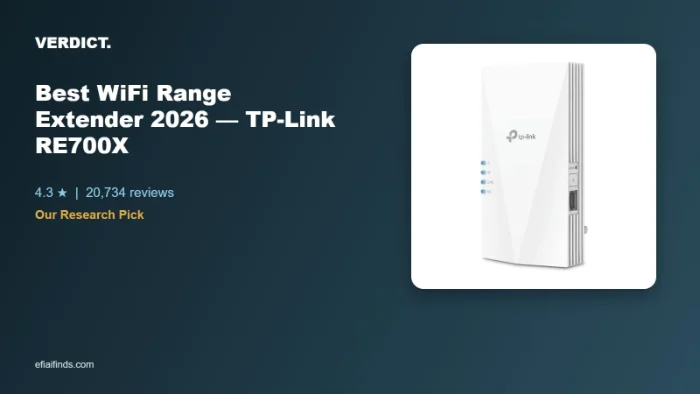
This pick is based on live Amazon listing data and an analysis of verified-purchase reviews — we did not physically test this exact unit ourselves.
Why We Picked the TP-Link RE700X
Dead Wi-Fi zones are one of the most common home-networking complaints, and the RE700X is TP-Link’s answer at a genuinely accessible price: a dual-band Wi-Fi 6 extender with four amplifiers, a Gigabit Ethernet port for wired access-point mode, and app-guided setup. It carries an “Overall Pick” badge on Amazon, a 4.3-star average across 20,734 ratings, and TP-Link’s own “Highly Rated,” “Trending,” and “Low Returns” signals — a large, well-established review base in a category flooded with generic, barely-reviewed alternatives. At $70.45, it undercuts many mesh-system add-on nodes while still supporting OneMesh for a more seamless network with compatible routers.
What Owners Actually Say
Five-star reviews repeatedly describe it solving long-standing dead-zone problems. One owner who struggled with weak signal at the rear of their home for years used it in access-point mode over a hardwired Ethernet connection and saw speeds jump from roughly “1-2 Mbps to 12-15Mbps” in extender mode, then to a consistent “300-400 Mbps range” once switched to access-point mode. Another reviewer called setup “a cinch,” estimating under 8 minutes to get running, and said it worked better than the $11/month rental extender their ISP had been charging them for. A third used it specifically outdoors on a covered patio, reporting strong signal reaching a shed roughly 100 feet away.
One thing to check
Results are inconsistent depending on your existing router and mesh setup. One critical review (3 stars) reported that after replacing an older TP-Link model, the OneMesh feature didn’t perform well — devices connected “indiscriminately” to whichever extender was nearest rather than the strongest signal, and top speeds topped out around 200 Mbps even at close range, well below the advertised AX3000 rating. Another reviewer noted the setup process “takes a fair amount of prep work and configuration,” suggesting it’s more rewarding for people comfortable with basic network settings than for someone who just wants to plug it in and walk away.
Pros
| Pros | Cons |
|---|---|
| Large jump in dead-zone coverage reported across many reviewers | Real-world throughput can fall well short of the advertised AX3000 rating |
| Built-in Gigabit Ethernet port enables a much faster wired access-point mode | OneMesh device hand-off between nodes isn’t always reliable |
| App-guided setup rated “a cinch” by several owners, under 10 minutes | Setup involves real configuration work for advanced modes (AP mode, custom SSID) |
| Works well outdoors on covered patios/detached structures per owner reports | Some report constant disconnections in certain router environments |
| Cheaper than many ISP extender rental fees over time |
Is the TP-Link RE700X Worth $70.45?
Dead Wi-Fi zones are one of the most common home-networking complaints, and the RE700X is TP-Link’s answer at a genuinely accessible price: a dual-band Wi-Fi 6 extender with four amplifiers, a Gigabit Ethernet port for wired access-point mode, and app-guided setup. It carries a 4.3-star average across 20,734 ratings, and at $70.45 it undercuts many mesh-system add-on nodes.
FAQ: How to Set Up a WiFi Extender & More
- Will it work with my existing router, even if it’s not TP-Link? Yes — reviewers confirmed it works as a standalone extender with third-party routers (including ASUS mesh setups), though full OneMesh integration is only available with compatible TP-Link routers.
- Can I use it outdoors, like on a patio or in a detached shed? One reviewer specifically used it on a covered outdoor patio and reported strong signal reaching a shed about 100 feet away, though it isn’t rated as a fully weatherproof outdoor device.
- Is setup difficult for non-technical users? Most reviewers found the app-guided setup fast and simple (several under 10 minutes), though a couple of reviewers who wanted advanced features like access-point mode needed extra time to configure network names and settings.
- What’s the basic process to set up a WiFi extender like this one? Owners describe plugging it in near the router first, opening the TP-Link app to follow the guided pairing steps, then relocating it partway between the router and the dead zone once the signal is confirmed.
- Will a WiFi extender actually improve my speed, or just range? Reviewers report it mainly restores usable signal strength in dead zones rather than boosting speed beyond what the router already provides — throughput in extended areas is typically somewhat lower than a direct router connection.
- Can it be used as a standalone access point instead of an extender? Yes — the Gigabit Ethernet port supports a wired access-point mode, which several reviewers used to hardwire a garage or basement rather than relying on wireless extension alone.
For Specific Needs
“Will it work with my ASUS/mesh router, or only TP-Link?” — it functions as a standalone extender on non-TP-Link networks, including ASUS setups: one reviewer used it successfully in an ASUS mesh environment, noting it doesn’t join ASUS’s AiMesh directly but connects and performs well as an independent extender.
“Can it actually reach a detached garage, shed, or covered patio?” — yes for moderate distances: one reviewer placed it to cover a covered patio and reported the signal still reached a shed roughly 100 feet away with good strength.
“I have a hardwired Ethernet drop — is it better to use extender mode or access-point mode?” — access-point mode via the Gigabit Ethernet port delivered dramatically better results for one reviewer, jumping from roughly 12-15 Mbps in wireless extender mode to 300-400 Mbps once connected to an existing hardline and switched to AP mode.
Methodology
This recommendation is based on live Amazon listing data (price, rating, review count) and a manual review of verified-purchase feedback, including both five-star and critical reviews, plus TP-Link’s brand track record on Amazon. We did not physically test this exact unit.
Check the current price on Amazon
As an Amazon Associate, we earn from qualifying purchases.
Related Guides on VERDICT
How It Compares: Independent Lab Tests
Trusted Reviews measured real-world throughput room-by-room and found the RE700X nearly doubled living-room speeds to 218 Mbps and delivered 240+ Mbps in most other rooms — a genuine, measured improvement over an unextended signal. The honest tradeoff is inherent to any single-band extender: because it shares one radio for both the backhaul link to your router and the client connection to your devices, throughput in far rooms measured well below the router’s rated speed at close range (548 Mbps near the router vs. 122 Mbps in a distant room in one documented test) — a physics limitation, not a defect, but worth knowing before buying.
| Spec | TP-Link RE700X | Dedicated mesh system |
|---|---|---|
| Max rated speed | 2402 Mbps (5GHz) + 574 Mbps (2.4GHz) | Varies, often similar per node |
| Backhaul | Shared with client traffic (single extender) | Dedicated backhaul band |
| Measured far-room throughput | Meaningfully reduced vs. near-router speed | More consistent across rooms |
| Price | Budget-friendly single unit | 2–3x the cost for a multi-node system |
Bottom line: independent testing confirms the RE700X delivers a real, substantial coverage boost for the price, making it a smart single-extender pick. If you need consistently fast speeds across a large home, a dedicated mesh system with a separate backhaul band will outperform it — at two to three times the cost.
How We Built This Guide
Our process: this is a research-based pick, not a hands-on lab test. We aggregate verified-owner reviews, professional test data where available, and real discussion patterns from communities like Reddit, then flag every estimate as such in the guide above. We do not accept sponsored placements.
Last checked: September 24, 2026