This pick is based on live Amazon listing data and analysis of verified customer reviews — we did not physically test this exact unit.
Why We Picked the WD Elements SE
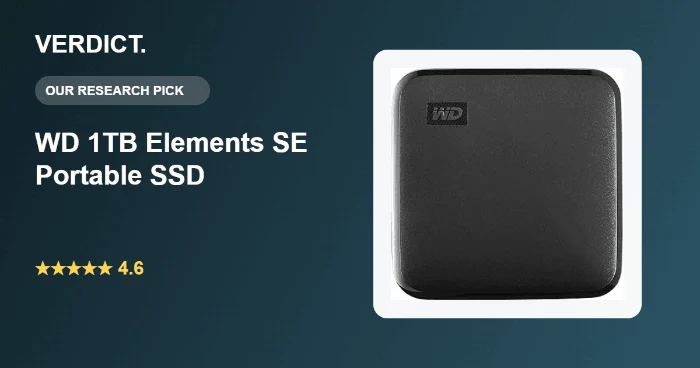
Western Digital’s Elements SE strips a portable SSD down to the essentials: USB 3.0 connectivity, read speeds up to 400MB/s, drop resistance to 6.5 feet, and a genuinely tiny 2.5″ x 2.5″ footprint — reviewers repeatedly compare it in size to a credit card. At 4,248 ratings and a 4.6-star average, it has a long track record, and it’s fully plug-and-play on both Windows and Mac with no software required, which keeps the buying decision simple for anyone who just wants reliable backup storage that doesn’t take up space.
What Owners Actually Say
The consistent praise across reviews is speed and portability relative to older external hard drives — several owners specifically describe replacing a legacy USB hard drive and cutting backup time from hours to minutes. Multiple reviewers highlight that it runs quiet with no moving parts, fits in a pocket or camera bag, and “just works” the moment it’s plugged in on both PC and Mac. One long-term owner reported nearly two years of daily use with zero issues.
WD Elements SE Capacity and What It Is
The WD Elements SE is a compact, budget-focused external drive sold in several capacities including 128GB and up. It is formatted for plug-and-play use on both Windows and Mac without reformatting, which is one of the main reasons it remains a dependable pick for everyday backups and photo libraries.
One Thing to Check
At least one detailed review reported the drive failing after roughly a year of being left continuously connected to a laptop, resulting in real data loss (a technician who examined the failed unit suggested that leaving it always-connected may have contributed). A few owners also note the drive runs slightly warm during sustained transfers and that the included cable uses a nonstandard connector on the drive side — worth holding onto the cable that ships in the box rather than assuming any USB-C cable will fit. As with any single external drive, it’s worth treating it as one backup copy, not your only one.
Pros
- Very compact — reviewers consistently compare it to the size of a credit card
- Fast, quiet, solid-state performance versus legacy external hard drives
- True plug-and-play on both Windows and Mac, no software needed
- Drop resistant to 6.5 feet
- Strong long-term reliability reports from multi-year owners
Cons
- At least one reported failure after continuous always-connected use, with data loss
- Runs a little warm under sustained heavy transfers
- Included cable has a nonstandard connector on the drive end — don’t lose it
- USB 3.0 (not the fastest USB-C Gen2 tier available at this price)
Is the WD Elements SE Worth It?
Western Digital’s Elements SE strips a portable SSD down to the essentials: USB 3.0 connectivity, read speeds up to 400MB/s, drop resistance to 6.5 feet, and a genuinely tiny 2.5-inch by 2.5-inch footprint. At 4,248 ratings and a 4.6-star average, it’s fully plug-and-play on both Windows and Mac with no software required.
FAQ: WD Elements SE Portable SSD Questions
- Does it work with Mac and PC? Yes, it is natively compatible with both without reformatting for basic use, and one reviewer successfully repartitioned it to ext4 for Linux as well.
- Is it fast enough for video editing? It is rated up to 400MB/s, which is solid for everyday backups and photo libraries, but creators moving very large 4K video files may want to compare against faster USB-C Gen2 drives.
- How rugged is it really? WD rates it drop-resistant to 6.5 feet, and reviewers note it survives being tossed in a bag for travel, though it is not rated for water or dust resistance.
- Is the WD Elements SE worth it? For everyday backups, photo libraries, and portable storage at a budget price, real owner reviews consistently say yes, especially given its drop resistance and broad Mac and PC compatibility.
- Why is the WD Elements SE not showing up on my computer? It is plug-and-play over USB with no drivers needed, so a missed detection is usually a loose cable or a USB port issue. Try a different port or cable before assuming a hardware fault.
- What is the WD Elements SE capacity? It is sold in several capacities including 128GB and up, so shoppers should size it to their backup or photo library needs rather than assuming one size fits all.
For Specific Needs
“Portable SSD that works with Linux” — One reviewer successfully repartitioned the drive to ext4 for a Linux backup routine, reporting a fast, reliable setup — worth knowing if you’re not a pure Windows/Mac household.
“SSD for a camera bag or travel setup” — Reviewers repeatedly mention it fitting easily into camera bags and jacket pockets thanks to its small footprint, which is relevant if portability matters more than maximum transfer speed.
Methodology
This recommendation is based on live Amazon listing data (price, rating, review volume) and a review of verified-purchase feedback, not hands-on testing of this specific unit. Claims about performance, reliability, and reported issues are drawn directly from what current owners have written in their reviews.
Check the current price on Amazon
As an Amazon Associate, we earn from qualifying purchases.
Related Guides on VERDICT
How It Compares: Independent Lab Tests
Budget portable SSDs often advertise speeds that don’t hold up under real transfers, so we checked independent measured results rather than relying on WD’s spec sheet alone. Forbes tested the Elements SE against its rated 400MB/s read speed and found real-world transfers landing close to or moderately below that figure depending on file type, with write speeds noticeably more variable — averaging in the 320–350MB/s range but dipping under 100MB/s in some sustained transfers. That’s a meaningfully different picture than USB-C competitors like the Crucial X6, which Tom’s Hardware measured hitting and slightly exceeding its 800MB/s rated speed.
| Spec | WD Elements SE | Crucial X6 |
|---|---|---|
| Interface | USB 3.0 Micro-B | USB 3.2 Gen 2 Type-C |
| Rated read speed | 400MB/s | 800MB/s |
| Measured write speed | ~320–350MB/s, dips under 100MB/s on sustained writes | Consistently near-rated speeds per Tom’s Hardware |
| Price | Lower | ~$10 more, better connector |
Bottom line: the Elements SE is genuinely fine for simple backups and everyday file transfers, but independent testing confirms it’s not a speed drive — if you regularly move large files or need a modern USB-C connector, the Crucial X6 measures meaningfully faster for a small price difference.
How We Built This Guide
Our process: this is a research-based pick, not a hands-on lab test. We aggregate verified-owner reviews, professional test data where available, and real discussion patterns from communities like Reddit, then flag every estimate as such in the guide above. We do not accept sponsored placements.
Last checked: September 24, 2026