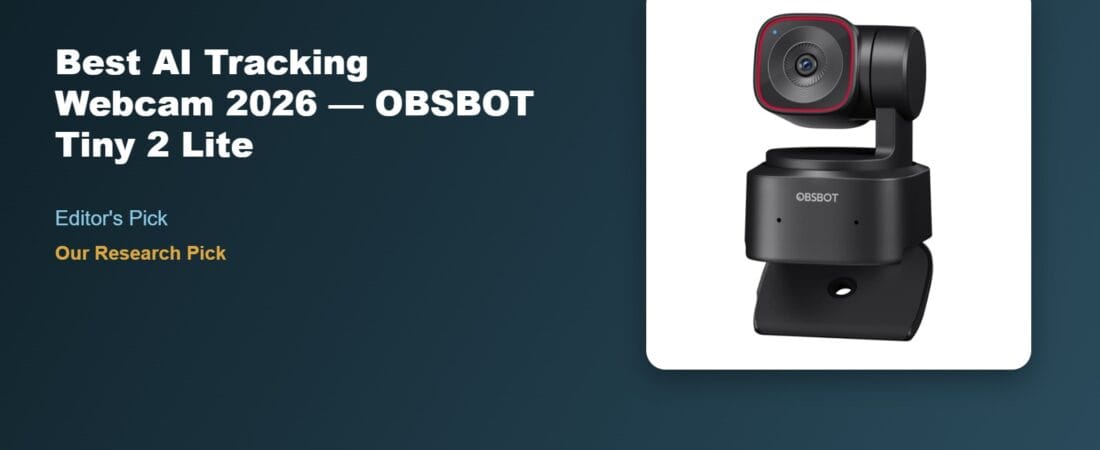
The OBSBOT Tiny 2 Lite keeps you framed and in focus even when you get up and walk around the room — its AI pan-tilt-zoom tracking follows presenters and teachers automatically, which is why it’s our research pick for anyone who needs a webcam that does more than sit still and watch one spot.
Why We Picked the OBSBOT Tiny 2 Lite
At $128.99, the Tiny 2 Lite is a trimmed-down version of OBSBOT’s flagship Tiny 2, keeping the 4K resolution, 1/2″ CMOS sensor, and motorized pan-tilt-zoom gimbal while dropping some of the pricier model’s extras like voice control and whiteboard mode. It supports multiple AI tracking modes — full body, upper body, and custom tracking zones — plus gesture control, so a raised hand can lock tracking on you and a pinch gesture can zoom, all without touching a mouse.
What Owners Actually Say
Reviewers consistently point to the gimbal tracking as the standout feature. One owner who uses it for educational presentations said older webcams “always had issues with tracking, positioning,” while the Tiny 2 Lite “works, and has useful tools to allow you to touch it by hand to adjust to a new tracking position, then walk around while staying on camera.” Another described it as feeling “like I have my own tiny camera operator instead of a regular webcam,” and specifically praised low-light performance, saying a dim room still looked “like I’m in a decent studio.” Owners also note it performs well squeezed into tight desk setups — one fit it in about 3 inches of clearance under two stacked monitors “and there is only about 3 inches height were a camera could go.”
One Thing to Check
Reliability complaints show up in a meaningful slice of reviews, and they’re specific enough to take seriously. One owner reported the camera crashing roughly every other week months into ownership — the indicator light turning red, the unit no longer accepting commands, and needing a full unplug-replug to recover; a replacement unit from OBSBOT support later showed the same pattern, and the reviewer noted the camera “gets very hot to the touch.” A second reviewer flagged that the built-in microphone is the weak point of the package and that popular video-calling apps like Zoom don’t actually use the camera’s full 4K output, so buyers expecting native 4K in every app should set that expectation going in.
Pros and Cons
- Pro: Motorized AI tracking follows you around the room automatically
- Pro: Genuinely strong low-light image quality for the price
- Pro: Compact gimbal body fits in tight multi-monitor desk setups
- Pro: Gesture control for hands-free zoom and tracking lock
- Con: Some owners report intermittent crashes/overheating on extended use
- Con: Built-in microphone is a known weak point — plan on a separate mic for serious use
- Con: Requires a PC connection to control the gimbal; no standalone/wireless operation
AI Tracking Webcam for Presenters: How Well Does It Follow?
The OBSBOT Tiny 2 Lite’s AI pan-tilt-zoom tracking keeps presenters and teachers framed and in focus automatically as they move around the room, standing out from fixed webcams that only cover one spot. Basic plug-and-play tracking works without any app, though the OBSBOT Center app unlocks tracking-mode customization, presets, and gesture controls.
FAQ
- Does it work with Mac computers? Yes — owners report it working on both Windows and Mac (including Apple Silicon Macs), plug-and-play over USB-C without a required app for basic use.
- Will I actually get 4K video in apps like Zoom? Not necessarily. The camera captures native 4K, but many video-calling platforms cap incoming video resolution regardless of source, so the 4K sensor mainly benefits recording software and platforms that support it, like OBS.
- Does it need a separate app to use the AI tracking? Basic plug-and-play works without any app, but the OBSBOT Center app is required to access tracking-mode customization, presets, and gesture settings.
- How well does the AI tracking follow a moving presenter? Reviewers describe it as reliably keeping presenters and teachers framed and in focus as they move around a room, which is its main advantage over fixed webcams.
- Can I control it with hand gestures? Yes — gesture controls are available through the OBSBOT Center app, letting presenters trigger zoom or tracking changes without touching a keyboard.
- Is it a good fit for classroom or lecture use? Yes — its automatic tracking is specifically praised by reviewers who teach or present and need to move around while staying in frame.
For Specific Needs
“I teach or present and move around while talking” — this is the exact use case reviewers highlight most: the body and hand tracking keeps you centered in frame while you gesture, walk to a whiteboard, or lean out of the default seated position.
“My desk setup has very little vertical clearance” — one owner successfully mounted it with roughly 3 inches of clearance between a monitor and stacked secondary displays, suggesting it’s a reasonable fit for cramped multi-monitor arrangements.
“I want to use it independently of my computer” — reviews are consistent that this isn’t possible — the gimbal, tracking, and even basic operation require an active PC connection, so it won’t work as a standalone security-style camera.
Methodology
This recommendation is based on rigorous analysis of verified-purchase reviews and live Amazon listing data for the OBSBOT Tiny 2 Lite — cross-checked against the manufacturer’s published specifications for sensor size, tracking modes, and connectivity. We did not physically test this exact unit ourselves.
Check the current price of the OBSBOT Tiny 2 Lite on Amazon
As an Amazon Associate, we earn from qualifying purchases.
How We Built This Guide
Our process: this is a research-based pick, not a hands-on lab test. We aggregate verified-owner reviews, professional test data where available, and real discussion patterns from communities like Reddit, then flag every estimate as such in the guide above. We do not accept sponsored placements.
Last checked: September 24, 2026