This pick is based on live Amazon listing data and analysis of verified-purchase reviews — we have not physically tested this exact unit ourselves unless noted otherwise.
Why We Picked the Logitech Litra Glow
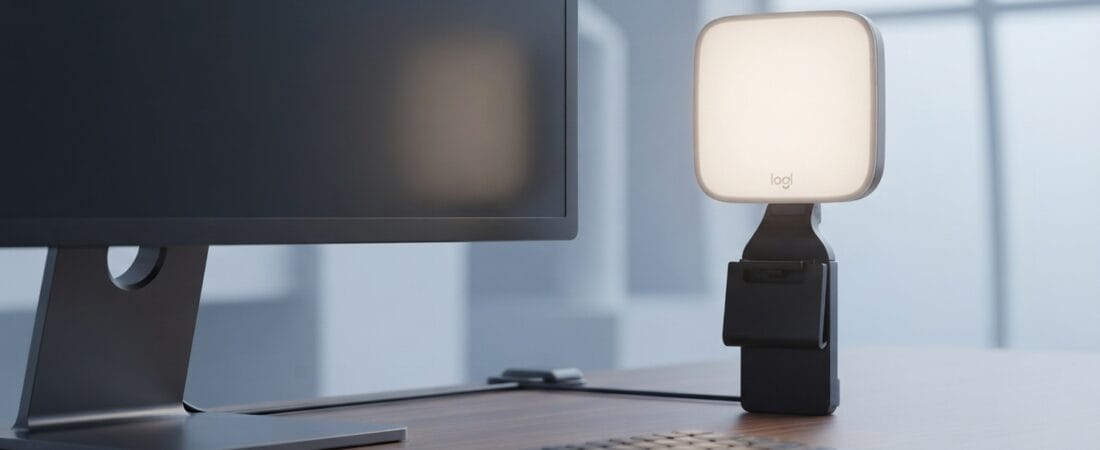
Anyone who has sat through a video call with a dark, shadowy face on screen knows the problem: room lighting alone rarely does the job. The Litra Glow solves this with a purpose-built, frameless diffuser that Logitech calls TrueSoft — full-spectrum LED light tuned for natural skin tones rather than the flat, bluish wash you get from a cheap ring light. At $58.90, it sits in a sweet spot: cheap enough to be an easy add-on to a desk setup, but built with the adjustability (brightness, color temperature 2700K–6500K, tilt, rotation) that casual ring lights skip. With 3,363 ratings at 4.5 stars and 2,000+ bought in the past month, it’s a proven, widely-adopted pick rather than a niche gadget.
What Owners Actually Say
Real verified-purchase reviewers consistently point to two things: the quality of the light itself, and how well it integrates with Logitech’s ecosystem. One reviewer (Social science professor) called it “an almost perfect solution,” highlighting that it doesn’t reflect in glasses and offers five brightness and five color-temperature levels. Another owner (K. Keller) noted it mounts easily even on large curved monitors with slim bezels, and praised the option to automate the light by application — for example, having it switch on automatically when Zoom or Teams opens. A reviewer who pairs it with a Logitech C920 webcam (JTIN) said the auto-on integration “makes the whole setup feel much more polished,” even with an older, lower-resolution webcam.
One Thing to Check
It isn’t flawless. Several owners flagged the same two limitations. First, the light competes with your screen as a light source — one reviewer (Bill in CT) docked a star because it’s “a competing light-source to my screen,” which can’t fully be avoided without lighting the whole room. Second, more than one reviewer mentioned an occasional glitch where the light doesn’t auto-activate as expected — in one case, traced to a USB dongle/connection quirk rather than the light itself. And it’s worth noting: this has no battery, so it only works plugged into a laptop, desktop, or USB power brick — it won’t clip onto a phone.
Pros and Cons
Pros:
- Natural, flattering light with minimal harsh shadow or glare
- Five brightness and five color-temperature settings, adjustable via physical buttons or the free Logi Options+ / G HUB app
- Compact, portable, USB-powered — no battery to manage
- Mounts securely on monitors via an adjustable 3-way clamp, with tilt and rotation
- Can auto-activate alongside specific apps (e.g., Zoom, Teams) when paired with Logitech software
Cons:
- Occasional auto-on glitches reported by some owners (often connection-related, not the light itself)
- Requires constant USB power — no built-in battery, doesn’t work with phones
- Lowest brightness setting may still be a bit bright for some very low-light preferences
FAQ
Does it work with any webcam, or only Logitech’s?
It works as a standalone light with any webcam or camera setup — the automatic per-app activation is a bonus feature specific to Logitech’s own software ecosystem, but the light itself functions independently via its physical controls.
Can I use it without installing any software?
Yes. All core functions — power, brightness, and color temperature — are controlled with physical buttons on the unit. The Logi Options+ app is optional, useful mainly for presets and app-based automation.
Will it work on a laptop with only USB-C ports?
Yes, though you may need your own USB-C cable or adapter depending on the port; the light itself is USB-powered and low-draw.
Methodology
This recommendation is based on live Amazon listing data (price, rating, and review volume verified on the product detail page) and an analysis of verified-purchase customer reviews, including both critical and positive feedback, plus the brand’s own track record. We did not physically test this exact unit ourselves.
As an Amazon Associate, we earn from qualifying purchases.
How We Built This Guide
Our process: this is a research-based pick, not a hands-on lab test. We aggregate verified-owner reviews, professional test data where available, and real discussion patterns from communities like Reddit, then flag every estimate as such in the guide above. We do not accept sponsored placements.
Last checked: September 12, 2026
More Buying Guides in This Category
- Best Wireless Charger for Samsung 2026: Our Research Pick — Samsung 15W Charger Duo
- Best Borescope Inspection Camera 2026: Our Research Pick — Teslong 5″ Dual Lens
- Best Portable Power Station 2026: Our Research Pick — Jackery Explorer 300
- Best Electric Air Duster 2026: Our Research Pick — METROVAC DataVac